
Payable Attributes (Payable Custom Fields)
Payable Attributes are customizable data fields that help you add more context and detail to each Payable. You can track important details that align with your internal processes, making it easier to manage, approve, and report on payments.
What Are Payable Attributes?
Payable Attributes (also called payable custom fields) let you capture extra information on every payment you send through Lumanu. This keeps your payables organized and aligned with the internal structure of your team or company. Some common examples include:
Internal Reference Number: Match each payment to a PO number, invoice ID, or other internal reference.
Spend Category: Classify payments by type, such as talent fees, usage rights, or production costs.
Contract: Attach the signed agreement that supports the payment.
Cost Center or GL Code: Route payments to the right budget line for accounting.
Service Date: Record when the work was delivered.
Benefits of Payable Attributes
Customization: Track the payment details that matter most to your team.
Better Reporting: Filter and report on payables using your own internal categories.
Cleaner Reconciliation: Required and unique fields help ensure every payment has the information finance needs.
How to Add Payable Attributes in Lumanu
Access Your Workspace Settings Click on your business name in the upper-left corner of the Lumanu app to open the dropdown menu.
Navigate to Workspace Settings Click on the Workspace tab to manage your company's account preferences.
Find the Payable Attributes section Scroll to Payable Attributes and click Add.
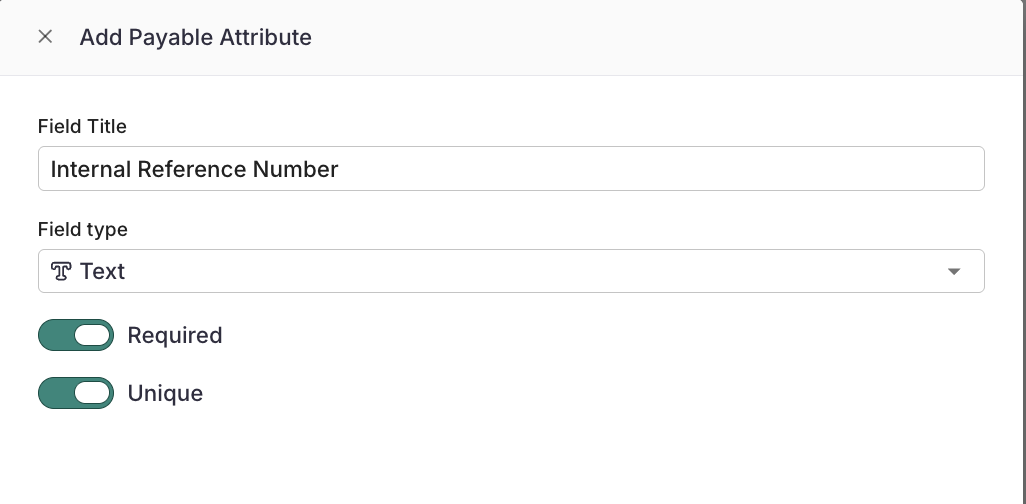
Name your attribute and choose a field type In the Add Payable Attribute window, enter a Field Title (for example, "Internal Reference Number") and select a Field type.
Set Required and Unique (optional) Turn on Required and/or Unique if needed, then save the attribute.
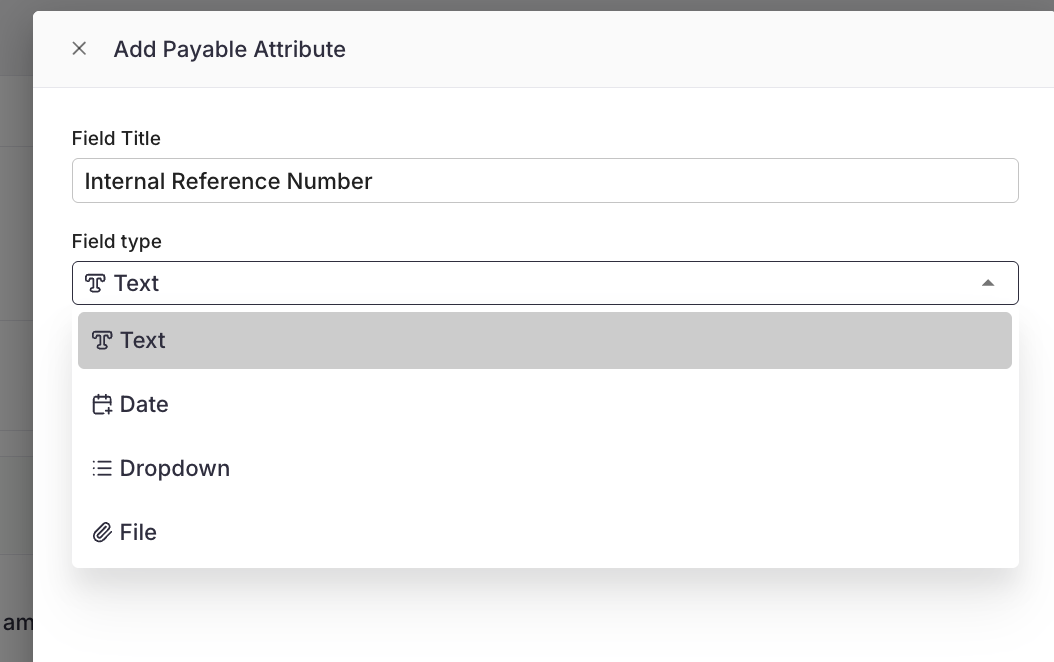
The Field type dropdown lets you choose how information is entered for this attribute.
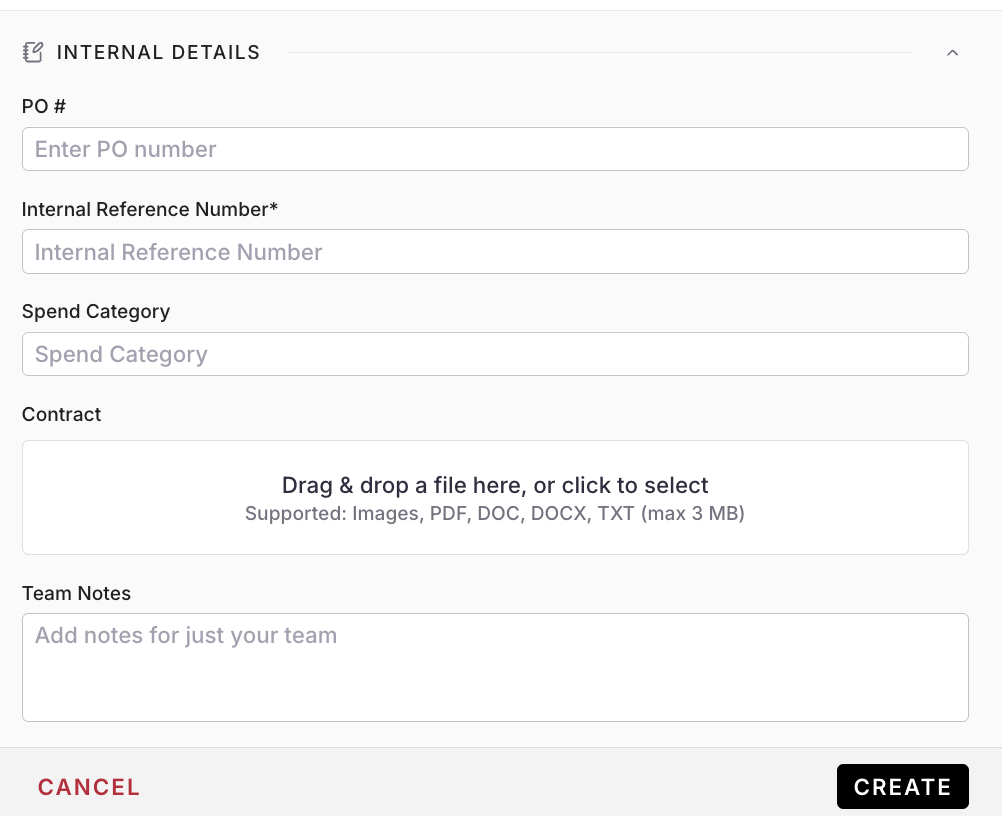
Once created, your custom Payable Attribute fields will appear when creating a new Payable:
Field Types
Field type | Best for | Example |
|---|---|---|
Text | Free-form entries like IDs, codes, or short notes | Internal Reference Number, Spend Category |
Date | Any date tied to the payment | Service Date, Invoice Date |
Dropdown | A fixed list of choices so entries stay consistent | Department, Cost Center |
File | Supporting documents attached to the payable | Contract, Statement of Work |
Required and Unique Settings
Payable Attributes are optional by default. Two toggles let you enforce stricter rules across your workspace:
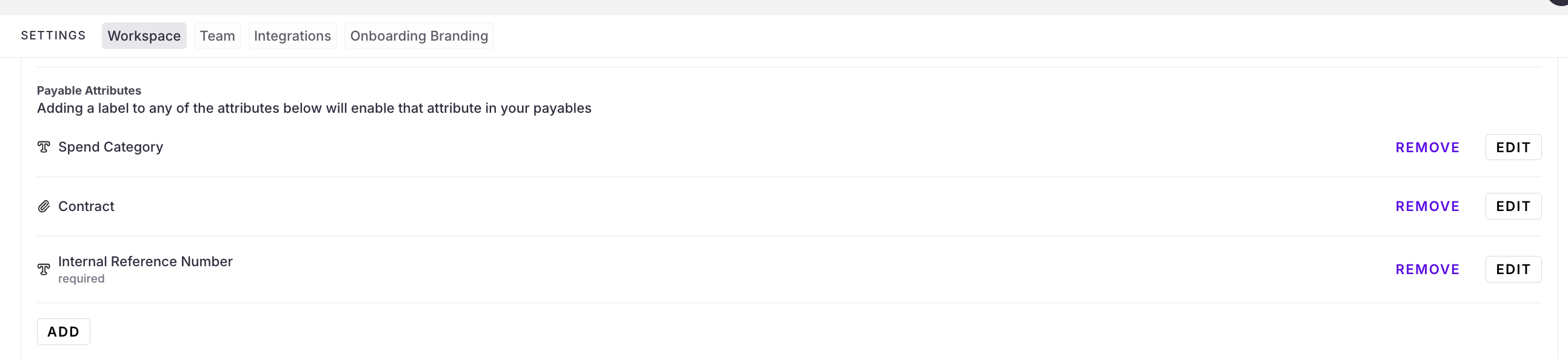
Required: The field must be filled in before a payable can be submitted. Required attributes show a "required" label in your settings list.
Unique: No two payables can share the same value for this field. This is useful for reference numbers, where a duplicate could mean a duplicate payment.
Editing or Removing Payable Attributes
All of your Payable Attributes are listed under Workspace Settings > Payable Attributes. From here you can:
Click Edit to change an attribute's title, field type, or Required and Unique settings.
Click Remove to delete an attribute from your workspace.
Click Add to create another attribute.
For related setup, see Add Project Attributes.