
User Roles and Permissions
Edited
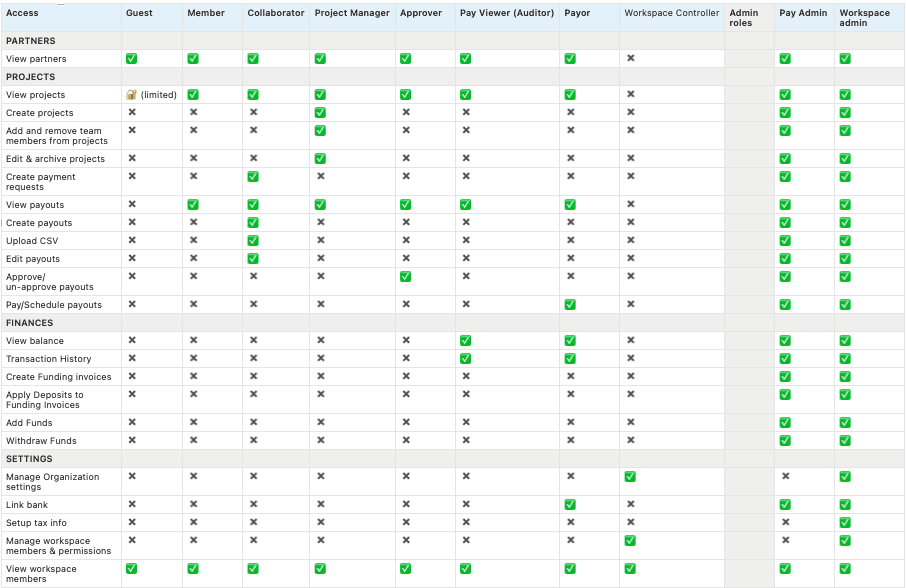
Every team member in your workspace has a role. Their role sets what they can do with payouts, funding, and your team.
Admin: Manages payouts, funding, and the team, including adding and removing team members.
Finance Manager: Handles payouts and funding, without access to team management.
Viewer: Sees payouts and activity without making changes. A good fit for outside stakeholders.
Some actions need a specific permission. Creating a funding invoice or scheduling a payout requires Payor permissions. Team members also need two-factor authentication turned on before they can process payments. See Turn On Two-Factor Authentication (2FA).
To give someone a role, see Add a Team Member. To change a role, see Change a Team Member's Access.
What each role can do
Payment permissions
Was this article helpful?
Sorry about that! Care to tell us more?